New products
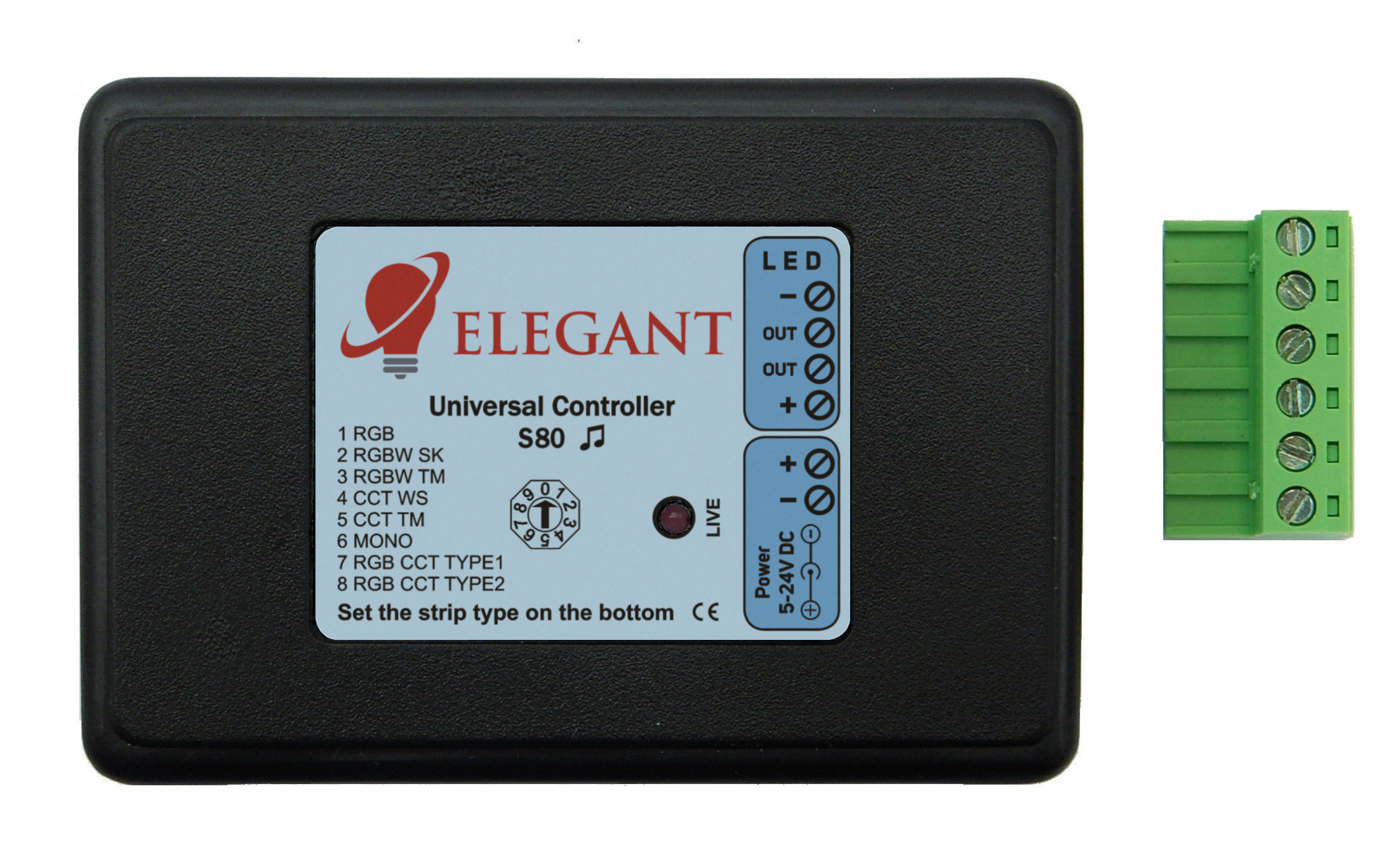

S80 Digital and Addressable LED Strip Controller
The S80 LED Controller allows you to control digital LED strips (pixels) using a radio remote control or the R240 Wi-Fi bridge. The controller features over 110 built-in effects and supports zones (one remote can independently control multiple receivers). Thanks to the built-in microphone, it reacts to sound, and with support for all popular IC chips used in digital LED strips, it works with every strip type – RGB, RGBW, CCT, MONO, and RGB+CCT.
 Elegant S80 LED Controller manual
CE Declaration of Conformity
 Example videos
- reacts to sound (microphone)
- controlled using remote
- supports all IC chips used in digital LED strips
- LED strips and LED modules: RGB / RGBW / CCT / MONO / RGB+CCT
- over 110 effects
Elegant S80 LED Controller manualCE Declaration of ConformityExample videos 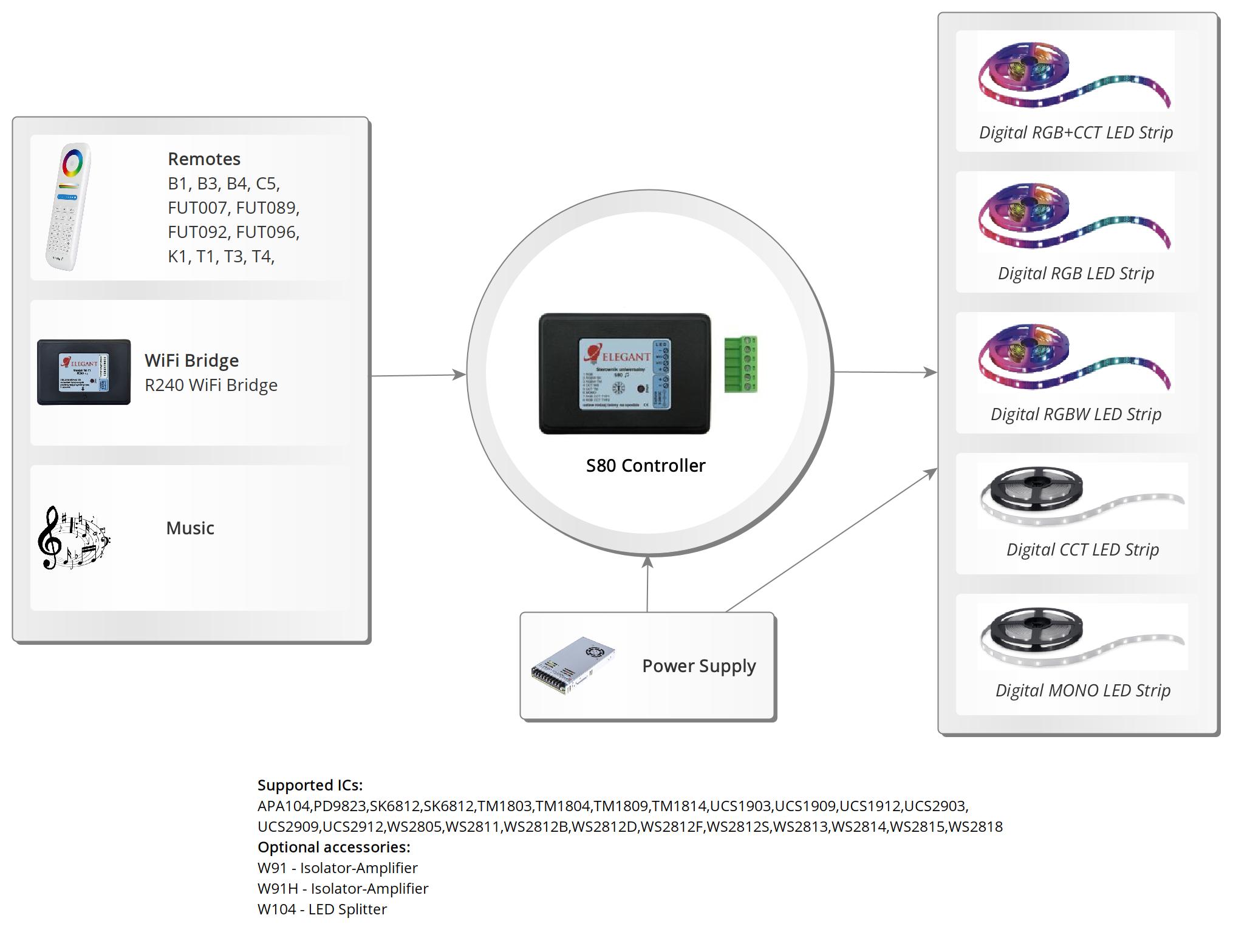
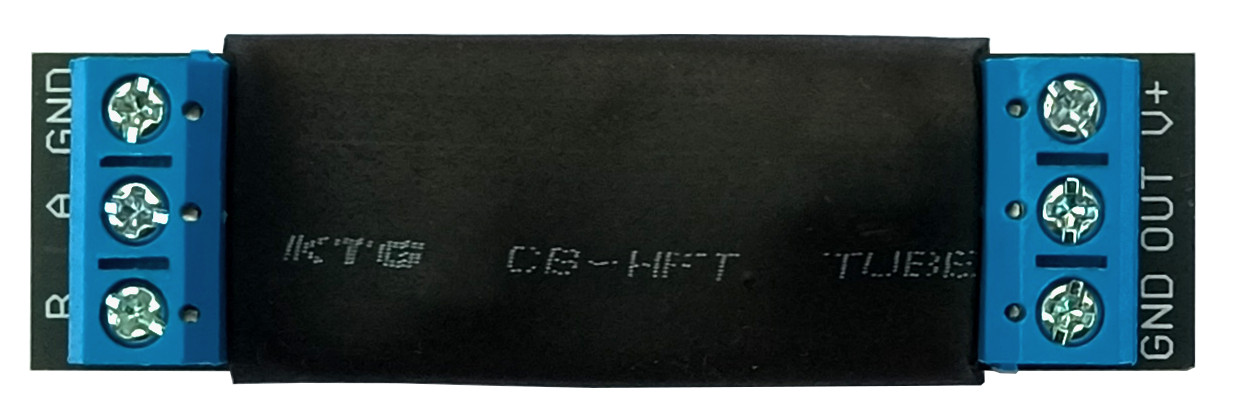
W93 Differential Receiver
The W93 differential receiver allows the digital LED signal to be transmitted over long cables when the K130 or K130M controller is located too far from the
LED strip, resulting in signal interference.
Elegant W93 Differential Receiver manual
CE Declaration of Conformity
Elegant W93 Differential Receiver manualCE Declaration of Conformity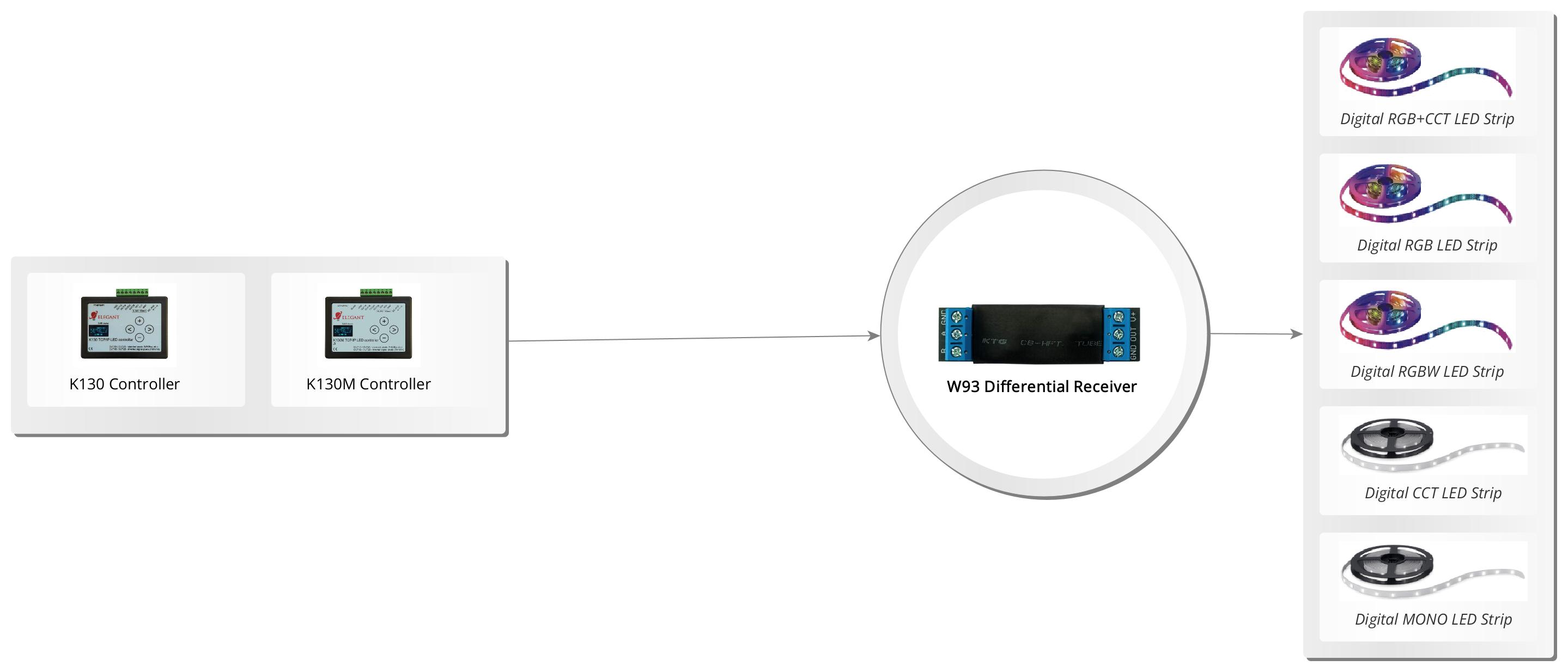

MS1-BI (white) Proximity Sensor
The MS1 Proximity Sensor is designed to detect a person climbing the stairs or passing through the corridor. The sensor uses a Sharp reflective sensor, which makes its operation reliable. The sensor has an adjustable response sensitivity (the distance at which it responds). The sensor features a powder-coated metal front. Simply insert the sensor into the flush-mounted box, and the metal plates on the sides lock the device into place.
Intended for cooperation with:
Elegant MS1 Proximity Sensor manual
Intended for cooperation with:
- stair and corridor controllers: F220, F420, F40
- corridor controllers: F46
Elegant MS1 Proximity Sensor manual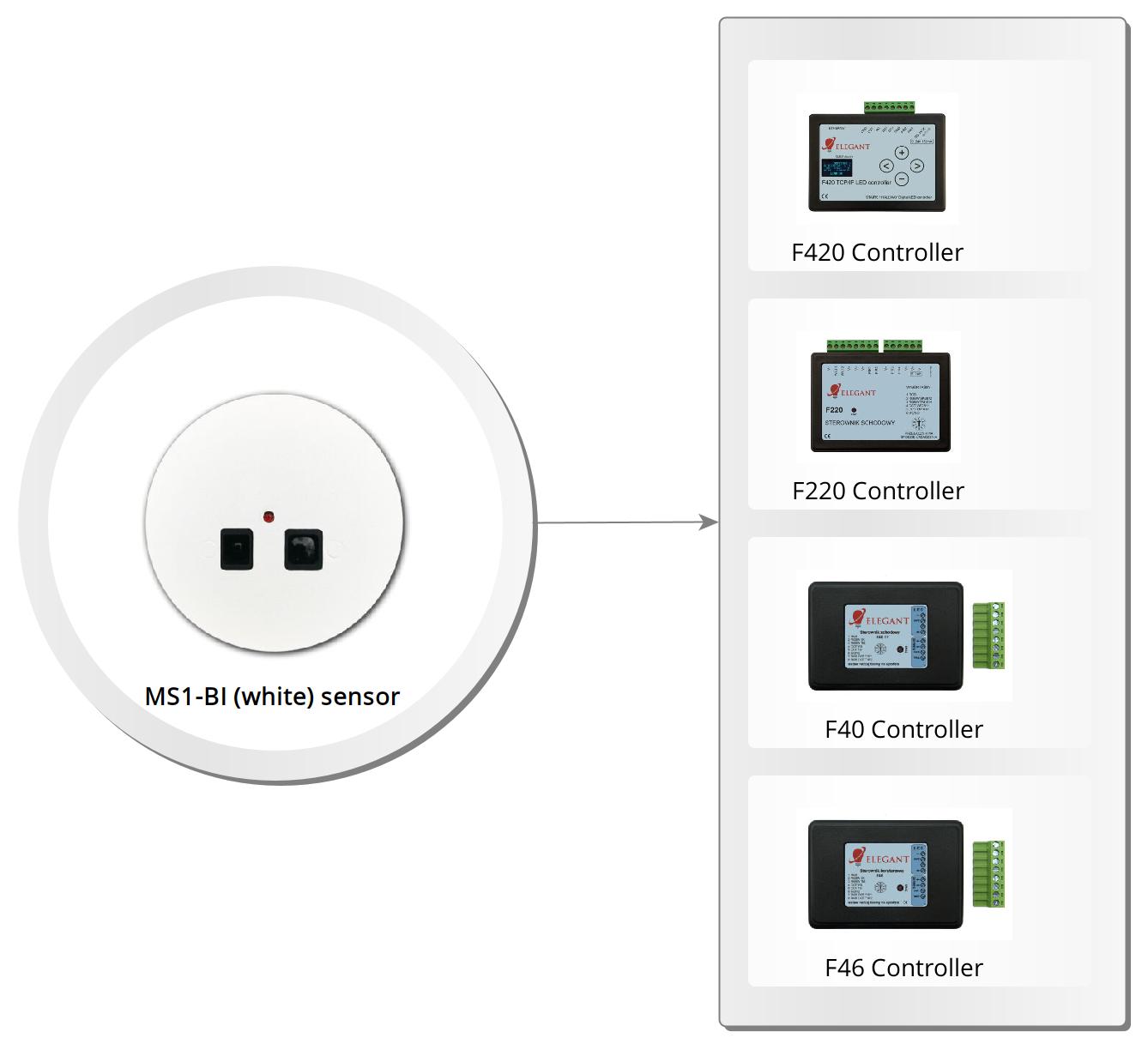

MS1-CG (dark graphite) Proximity Sensor
The MS1 Proximity Sensor is designed to detect a person climbing the stairs or passing through the corridor. The sensor uses a Sharp reflective sensor, which makes its operation reliable. The sensor has an adjustable response sensitivity (the distance at which it responds). The sensor features a powder-coated metal front. Simply insert the sensor into the flush-mounted box, and the metal plates on the sides lock the device into place.
Intended for cooperation with:
Elegant MS1 Proximity Sensor manual
Intended for cooperation with:
- stair and corridor controllers: F220, F420, F40
- corridor controllers: F46
Elegant MS1 Proximity Sensor manual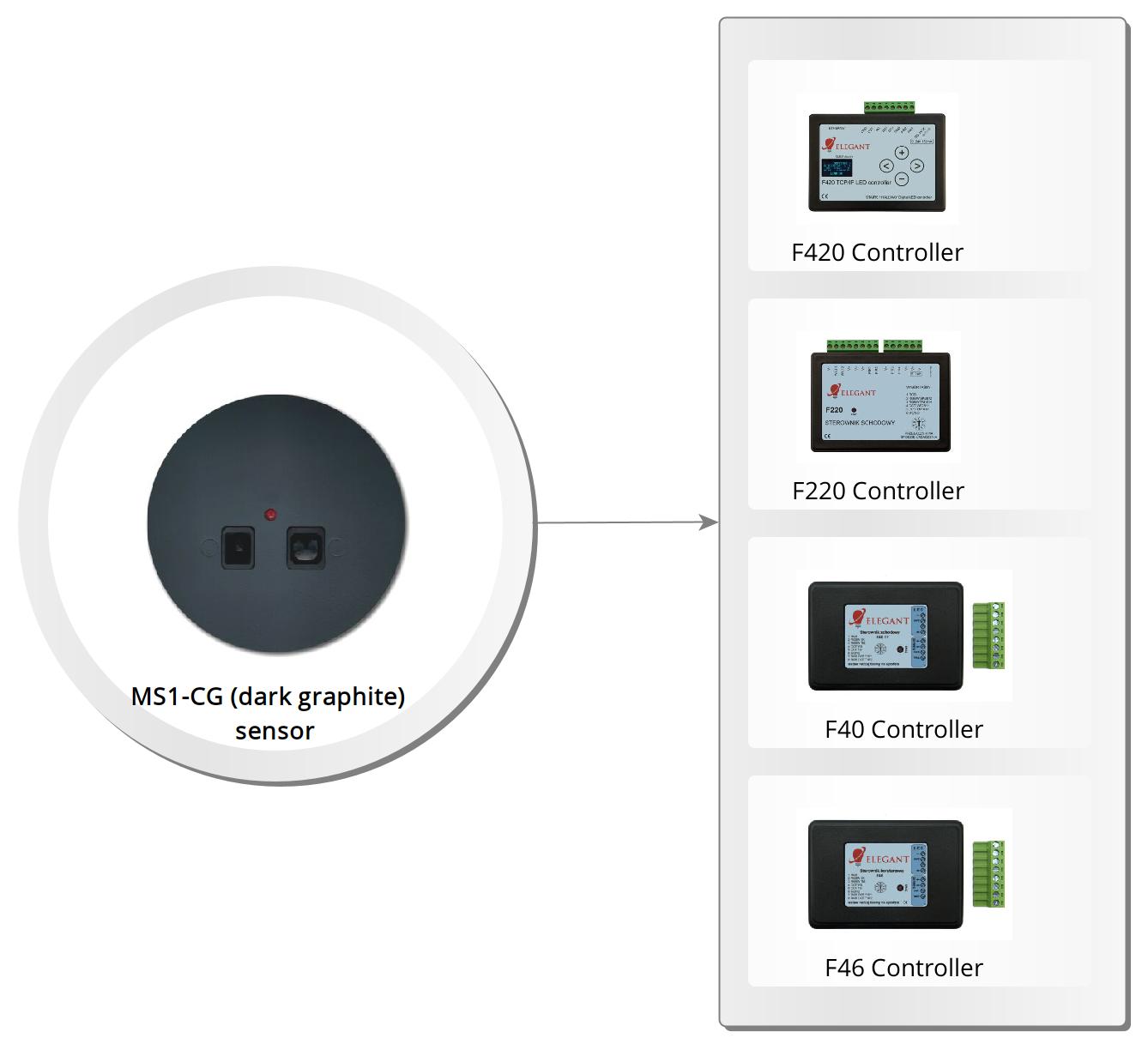
MS1-CZ (black) Proximity Sensor
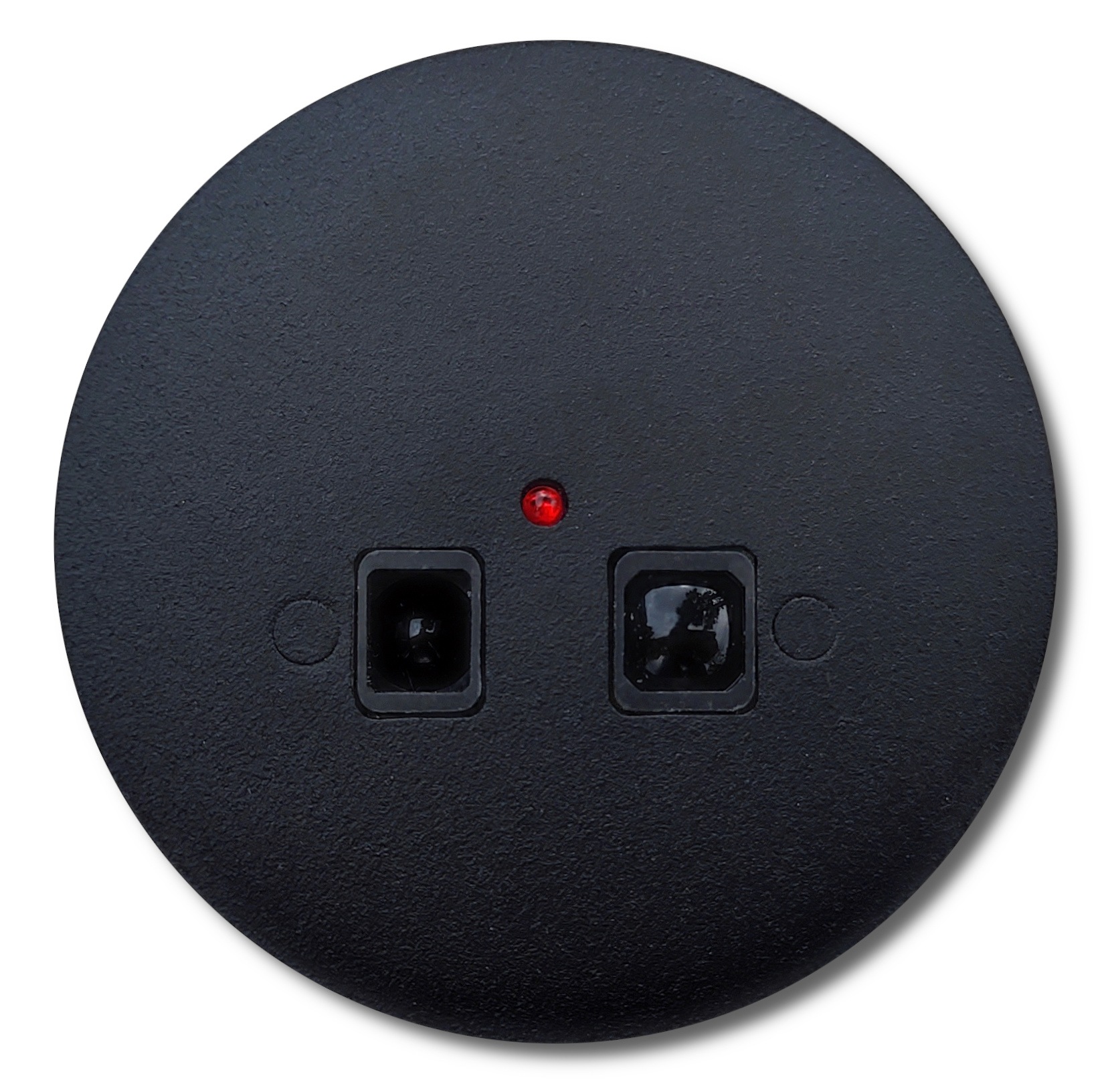
The MS1 Proximity Sensor is designed to detect a person climbing the stairs or passing through the corridor. The sensor uses a Sharp reflective sensor, which makes its operation reliable. The sensor has an adjustable response sensitivity (the distance at which it responds). The sensor features a powder-coated metal front. Simply insert the sensor into the flush-mounted box, and the metal plates on the sides lock the device into place.
Intended for cooperation with:
Elegant MS1 Proximity Sensor manual
Intended for cooperation with:
- stair and corridor controllers: F220, F420, F40
- corridor controllers: F46
Elegant MS1 Proximity Sensor manual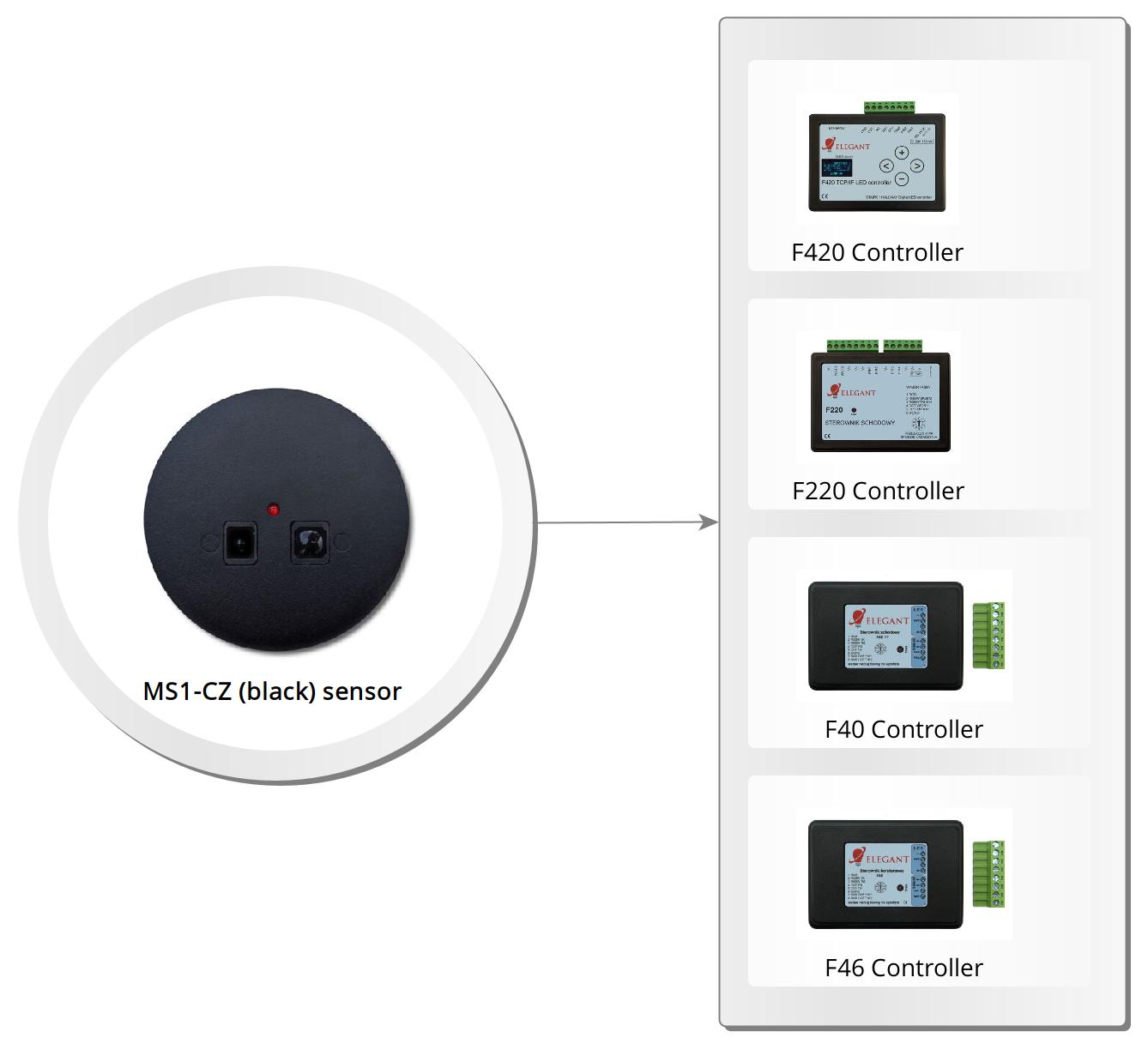

MS11-BI (white) Proximity and Light Sensor
The MS11 Proximity and Light Sensor is designed to detect a person climbing the stairs or passing through the corridor. The sensor uses a Sharp reflective sensor, which makes its operation reliable. The sensor has an adjustable activation distance and an adjustable light intensity level at which the sensor begins to detect movement. The sensor features a powder-coated metal front. Simply insert the sensor into the flush-mounted box, and the metal plates on the sides lock the device into place.
Elegant MS11 Proximity and Light Sensor manual
- stair and corridoor controllers: F220, F420, F40
- corridor controllers: F46
Elegant MS11 Proximity and Light Sensor manual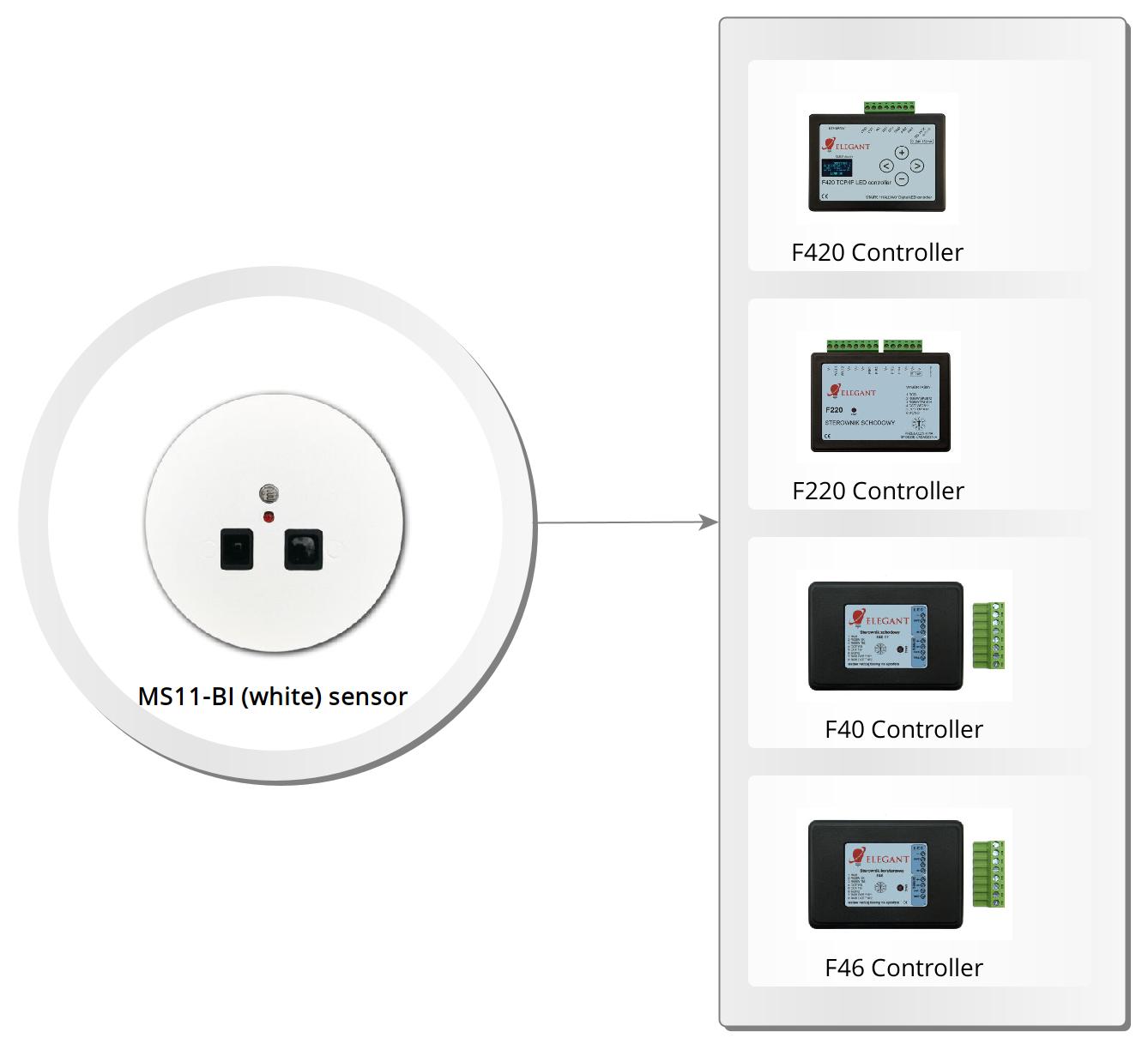

MS11-CG (dark graphite) Proximity and Light Sensor
The MS11 Proximity and Light Sensor is designed to detect a person climbing the stairs or passing through the corridor. The sensor uses a Sharp reflective sensor, which makes its operation reliable. The sensor has an adjustable activation distance and an adjustable light intensity level at which the sensor begins to detect movement. The sensor features a powder-coated metal front. Simply insert the sensor into the flush-mounted box, and the metal plates on the sides lock the device into place.
Elegant MS11 Proximity and Light Sensor manual
- stair and corridoor controllers: F220, F420, F40
- corridor controllers: F46
Elegant MS11 Proximity and Light Sensor manual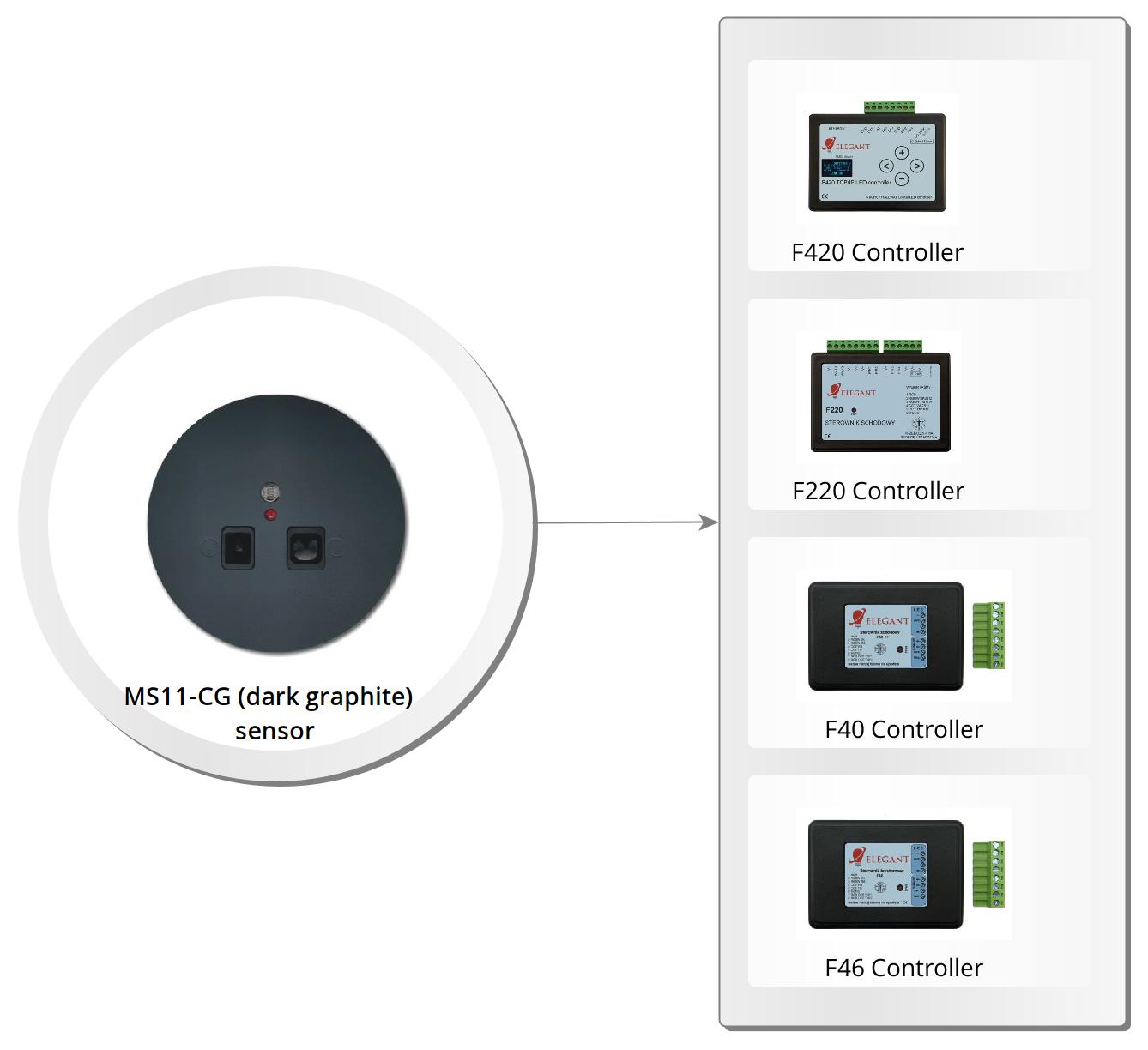
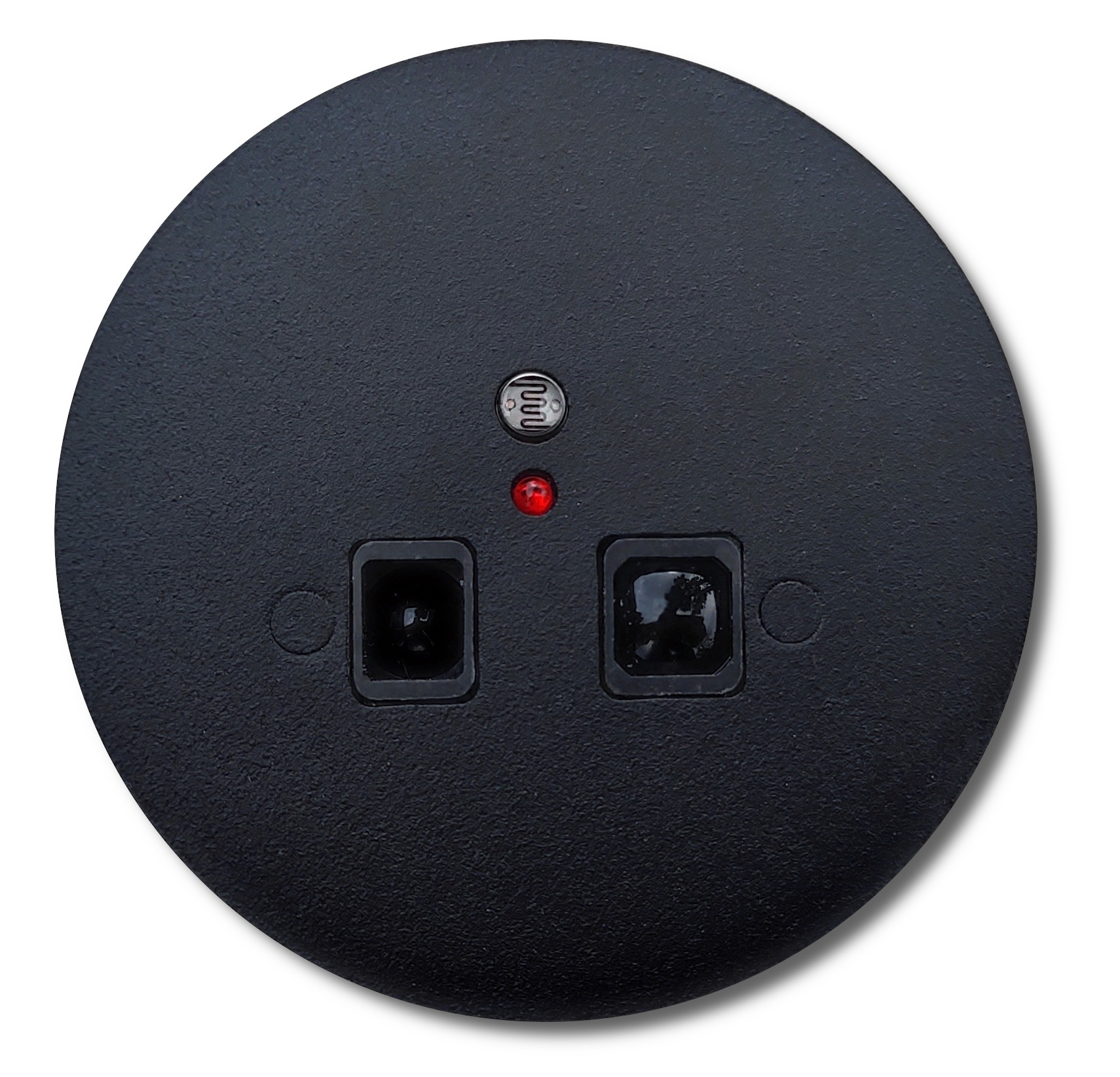
MS11-CZ (black) Proximity and Light Sensor
The MS11 Proximity and Light Sensor is designed to detect a person climbing the stairs or passing through the corridor. The sensor uses a Sharp reflective sensor, which makes its operation reliable. The sensor has an adjustable activation distance and an adjustable light intensity level at which the sensor begins to detect movement. The sensor features a powder-coated metal front. Simply insert the sensor into the flush-mounted box, and the metal plates on the sides lock the device into place.
Elegant MS11 Proximity and Light Sensor manual
- stair and corridoor controllers: F220, F420, F40
- corridor controllers: F46
Elegant MS11 Proximity and Light Sensor manual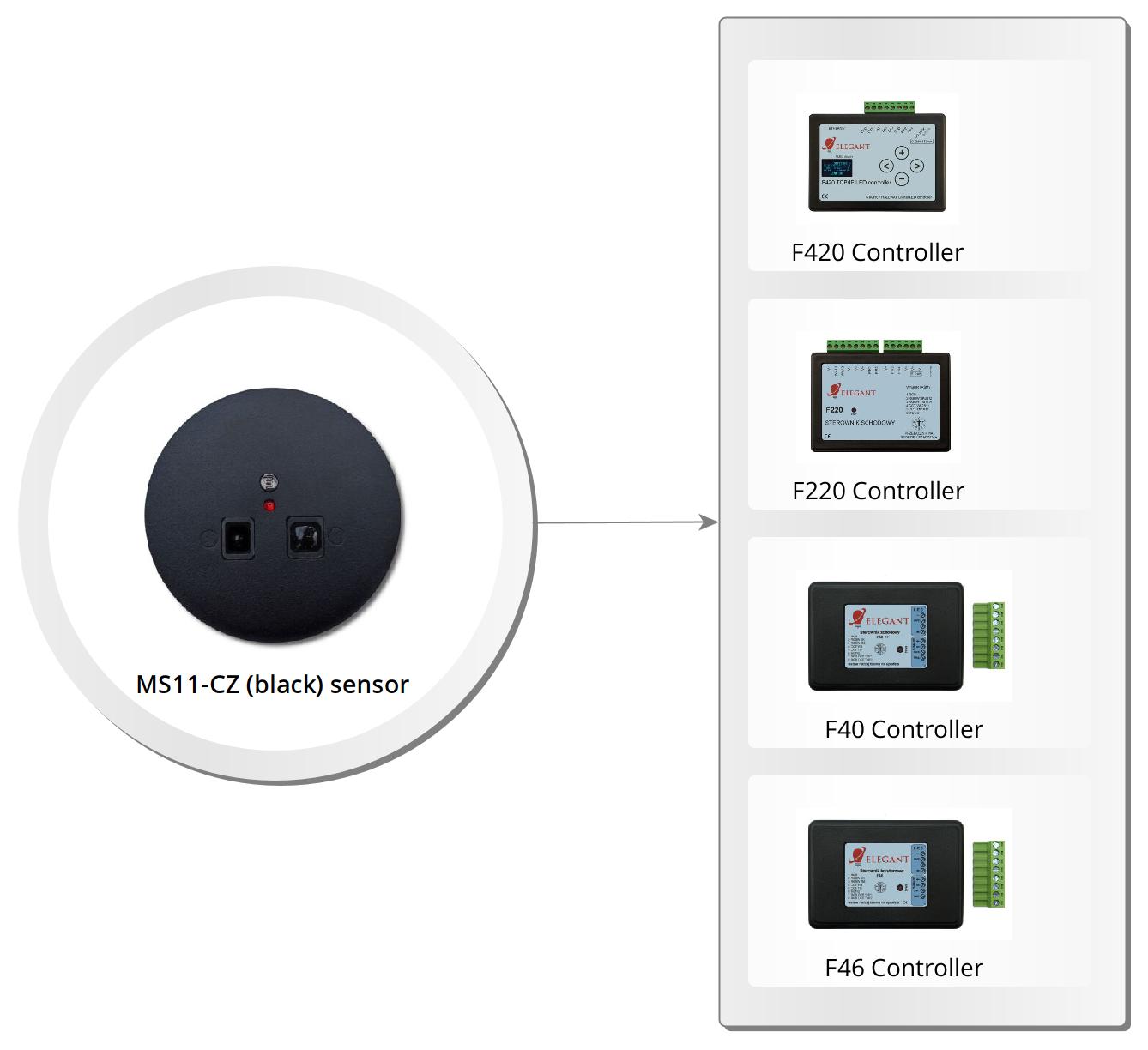

MS124-BI (white) Proximity and Light Switch
The MS124 Proximity and Twilight Switch is used to automatically turn on lighting for a specified period of time. It is designed to detect a person entering the stairs or walking down a hallway. The sensor uses a Sharp reflective sensor, ensuring reliable operation. The sensor has adjustable sensitivity (the distance at which it responds), adjustable time for which the lighting remains on (from 5 to 90 seconds), and adjustable light intensity level at which the switch begins to detect motion. The sensor features a powder-coated metal front. Simply insert the sensor into the flush-mounted box, and the metal plates on the sides lock the device into place.
Intended for cooperation with:
Elegant MS124 Proximity and Light Switch manual
Intended for cooperation with:
- analog LED strips
- sequence controllers: F146
Elegant MS124 Proximity and Light Switch manual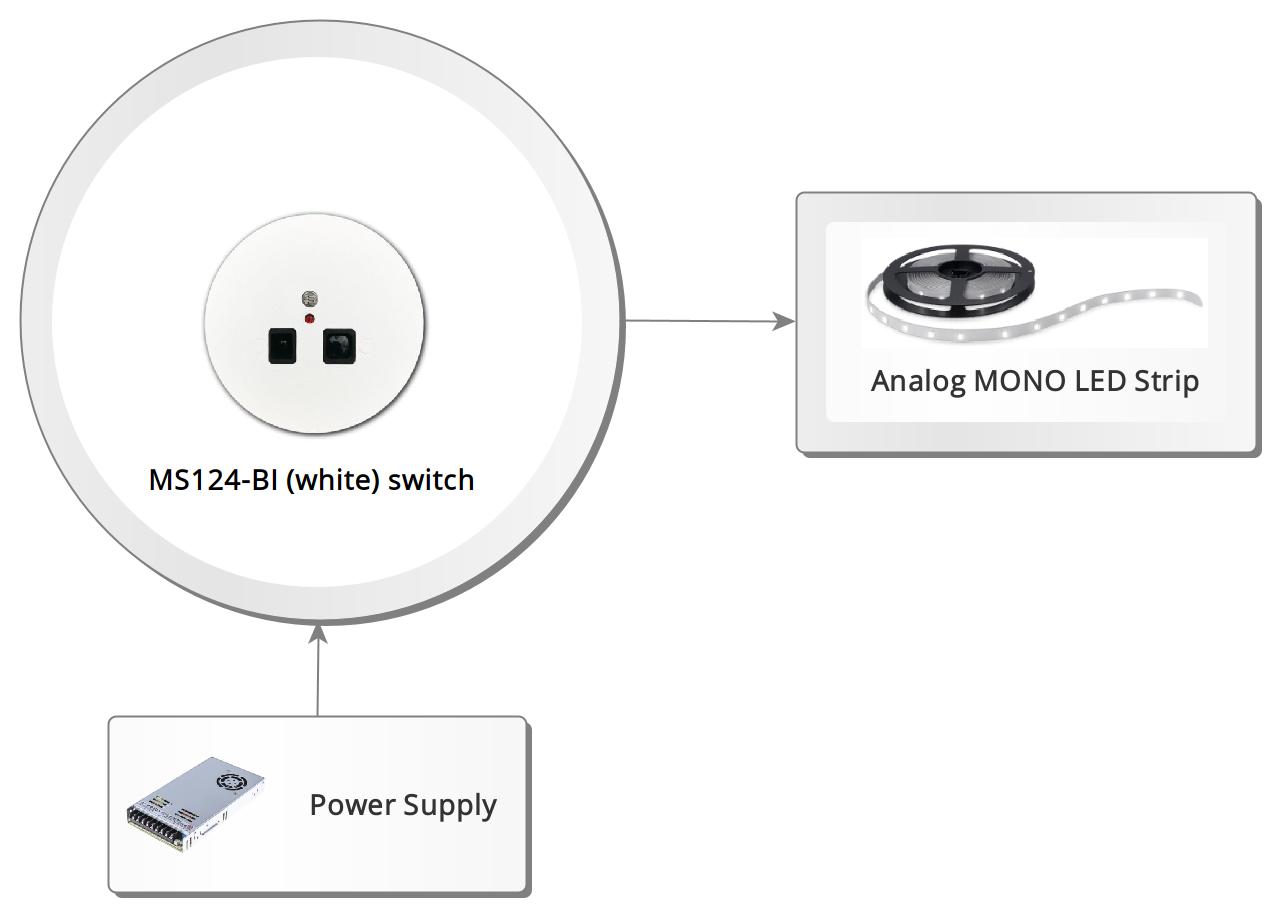

MS124-CG (dark graphite) Proximity and Light Switch
The MS124 Proximity and Twilight Switch is used to automatically turn on lighting for a specified period of time. It is designed to detect a person entering the stairs or walking down a hallway. The sensor uses a Sharp reflective sensor, ensuring reliable operation. The sensor has adjustable sensitivity (the distance at which it responds), adjustable time for which the lighting remains on (from 5 to 90 seconds), and adjustable light intensity level at which the switch begins to detect motion. The sensor features a powder-coated metal front. Simply insert the sensor into the flush-mounted box, and the metal plates on the sides lock the device into place.
Intended for cooperation with:
Elegant MS124 Proximity and Light Switch manual
Intended for cooperation with:
- analog LED strips
- sequence controllers: F146
Elegant MS124 Proximity and Light Switch manual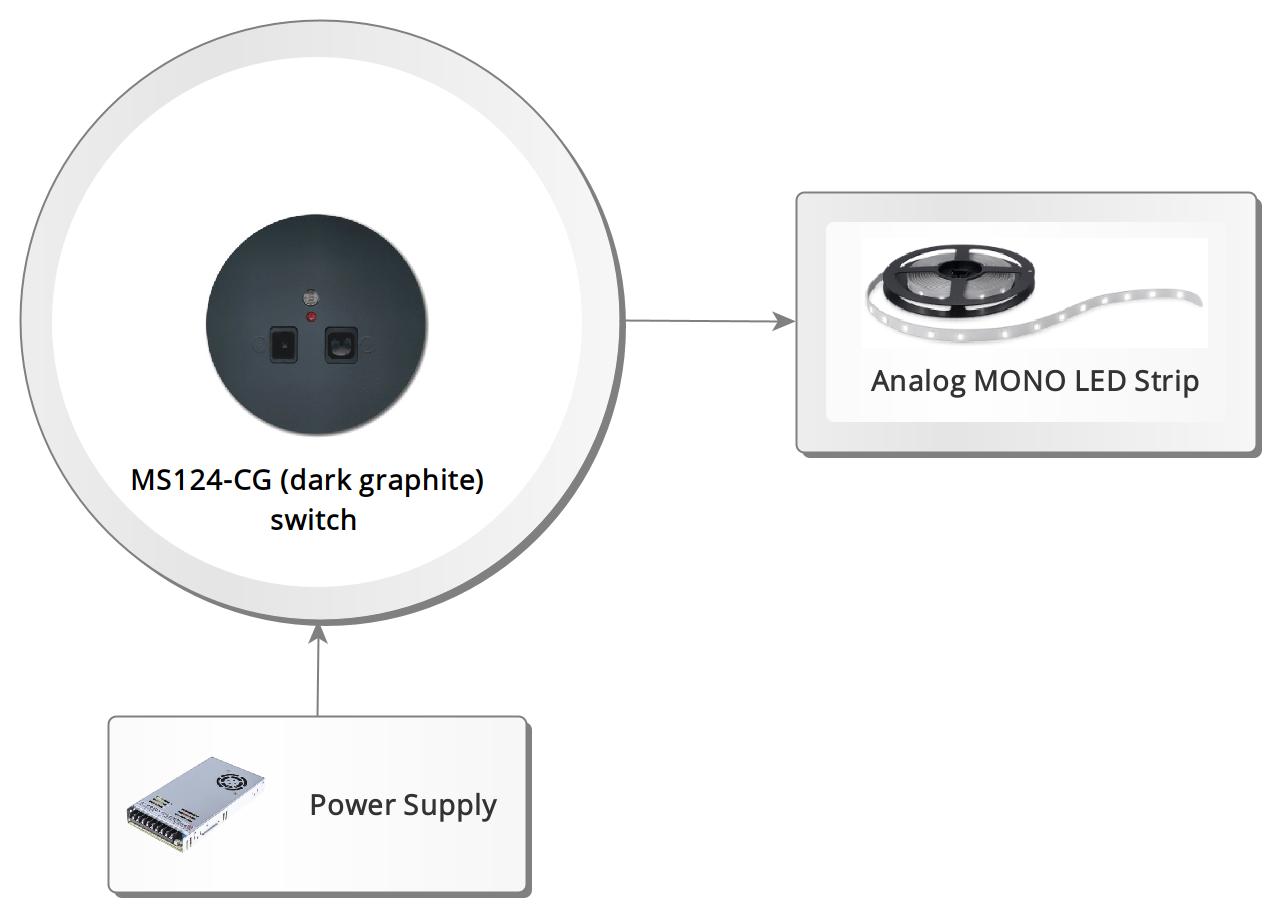

MS124-CZ (black) Proximity and Light Switch
The MS124 Proximity and Twilight Switch is used to automatically turn on lighting for a specified period of time. It is designed to detect a person entering the stairs or walking down a hallway. The sensor uses a Sharp reflective sensor, ensuring reliable operation. The sensor has adjustable sensitivity (the distance at which it responds), adjustable time for which the lighting remains on (from 5 to 90 seconds), and adjustable light intensity level at which the switch begins to detect motion. The sensor features a powder-coated metal front. Simply insert the sensor into the flush-mounted box, and the metal plates on the sides lock the device into place.
Intended for cooperation with:
Elegant MS124 Proximity and Light Switch manual
Intended for cooperation with:
- analog LED strips
- sequence controllers: F146
Elegant MS124 Proximity and Light Switch manual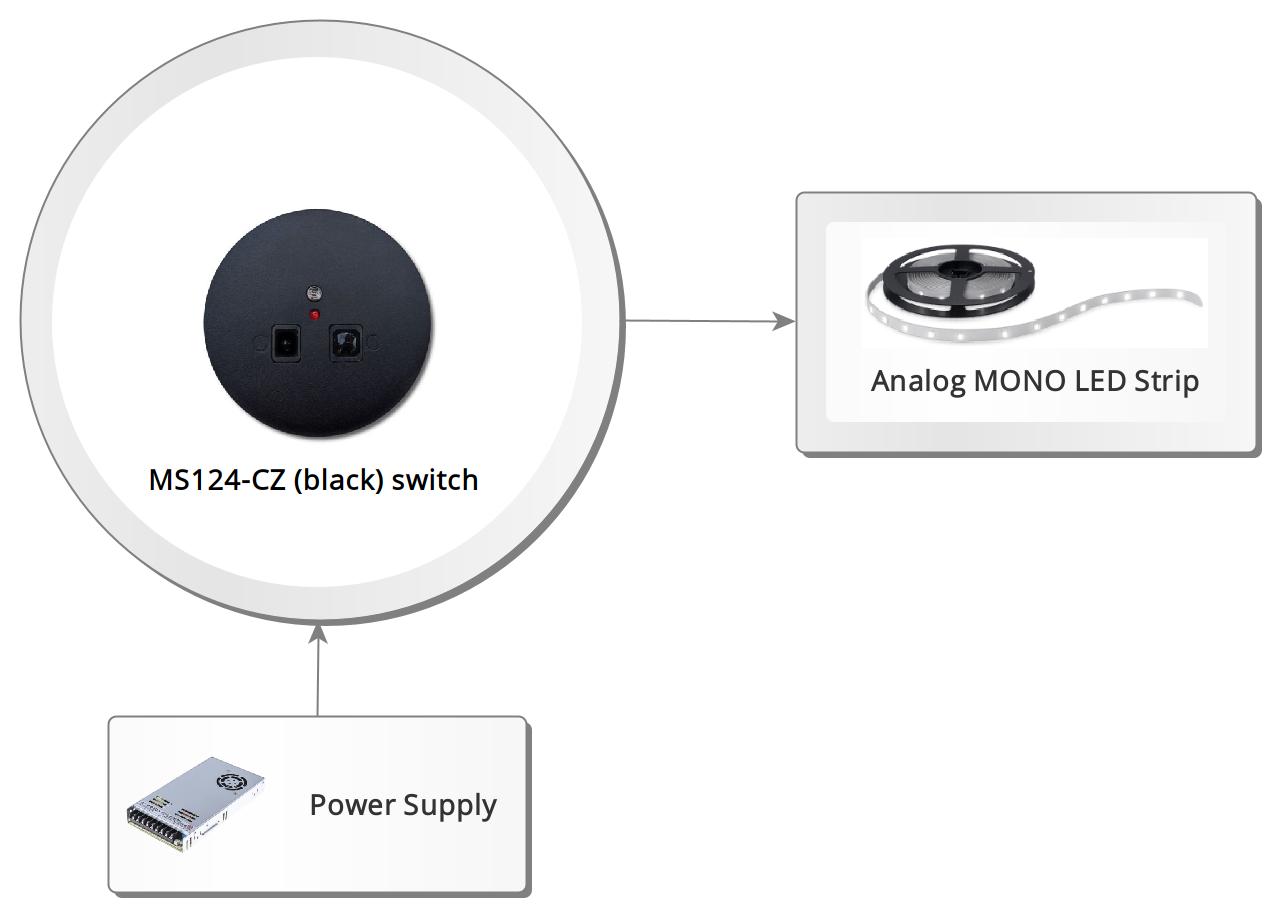

MS24-BI (white) Proximity Switch
The MS24 Proximity Switch is used to automatically turn on the lighting for a specified time. It is designed to detect a person climbing the stairs or passing through the corridor. The switch uses a Sharp reflection sensor, which makes its operation reliable. It has an adjustable activation sensitivity (the distance at which it should react) and the time for which the lighting will be turned on (from 5 to 90 seconds). The lighting is turned on and off smoothly (brightening and dimming). The sensor features a powder-coated metal front. Simply insert the sensor into the flush-mounted box, and the metal plates on the sides lock the device into place.
Intended for cooperation with:
Elegant MS24 Proximity Switch manual
Intended for cooperation with:
- analog LED strips
- sequence controllers: F146
Elegant MS24 Proximity Switch manual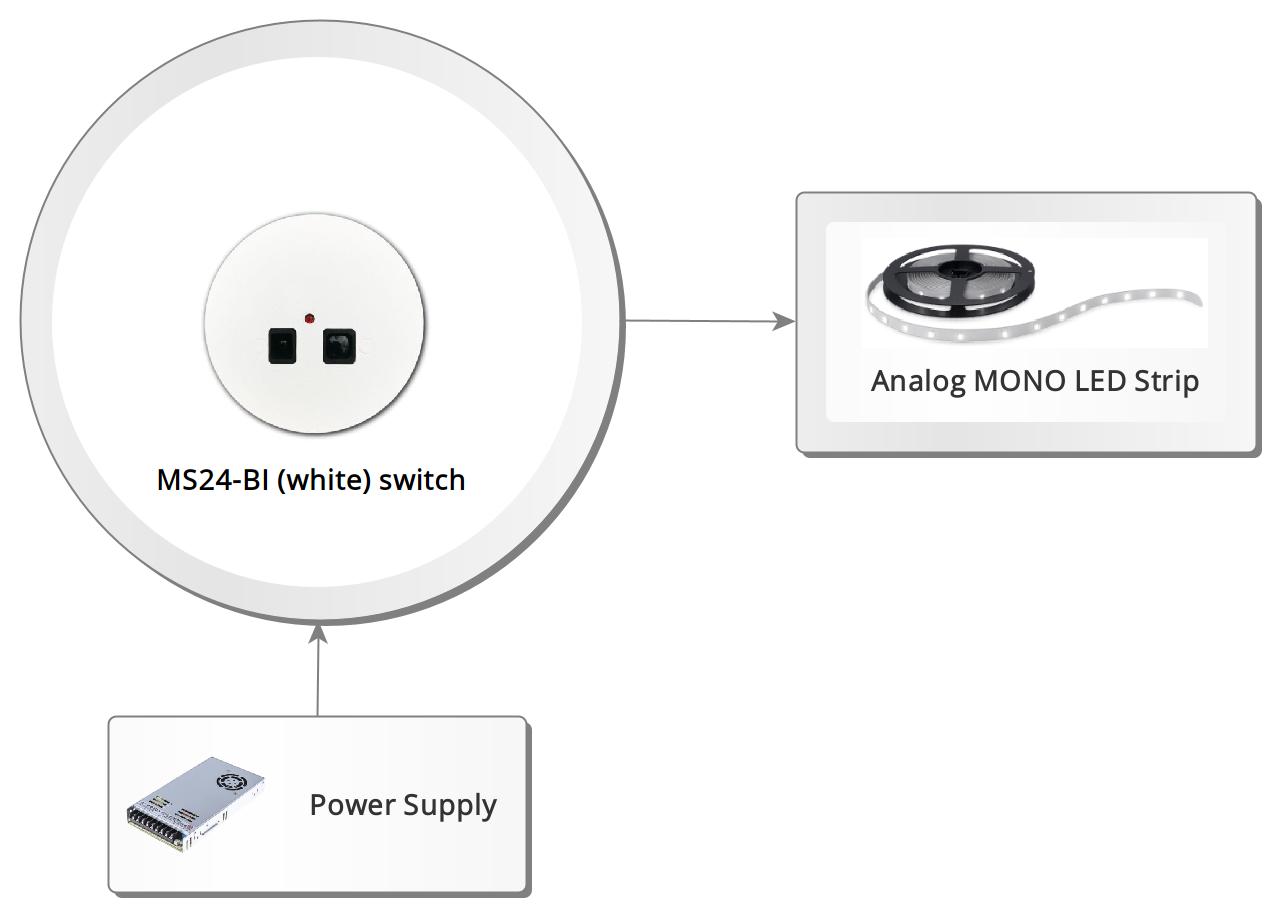

MS24-CG (dark graphite) Proximity Switch
The MS24 Proximity Switch is used to automatically turn on the lighting for a specified time. It is designed to detect a person climbing the stairs or passing through the corridor. The switch uses a Sharp reflection sensor, which makes its operation reliable. It has an adjustable activation sensitivity (the distance at which it should react) and the time for which the lighting will be turned on (from 5 to 90 seconds). The lighting is turned on and off smoothly (brightening and dimming). The sensor features a powder-coated metal front. Simply insert the sensor into the flush-mounted box, and the metal plates on the sides lock the device into place.
Intended for cooperation with:
Elegant MS24 Proximity Switch manual
Intended for cooperation with:
- analog LED strips
- sequence controllers: F146
Elegant MS24 Proximity Switch manual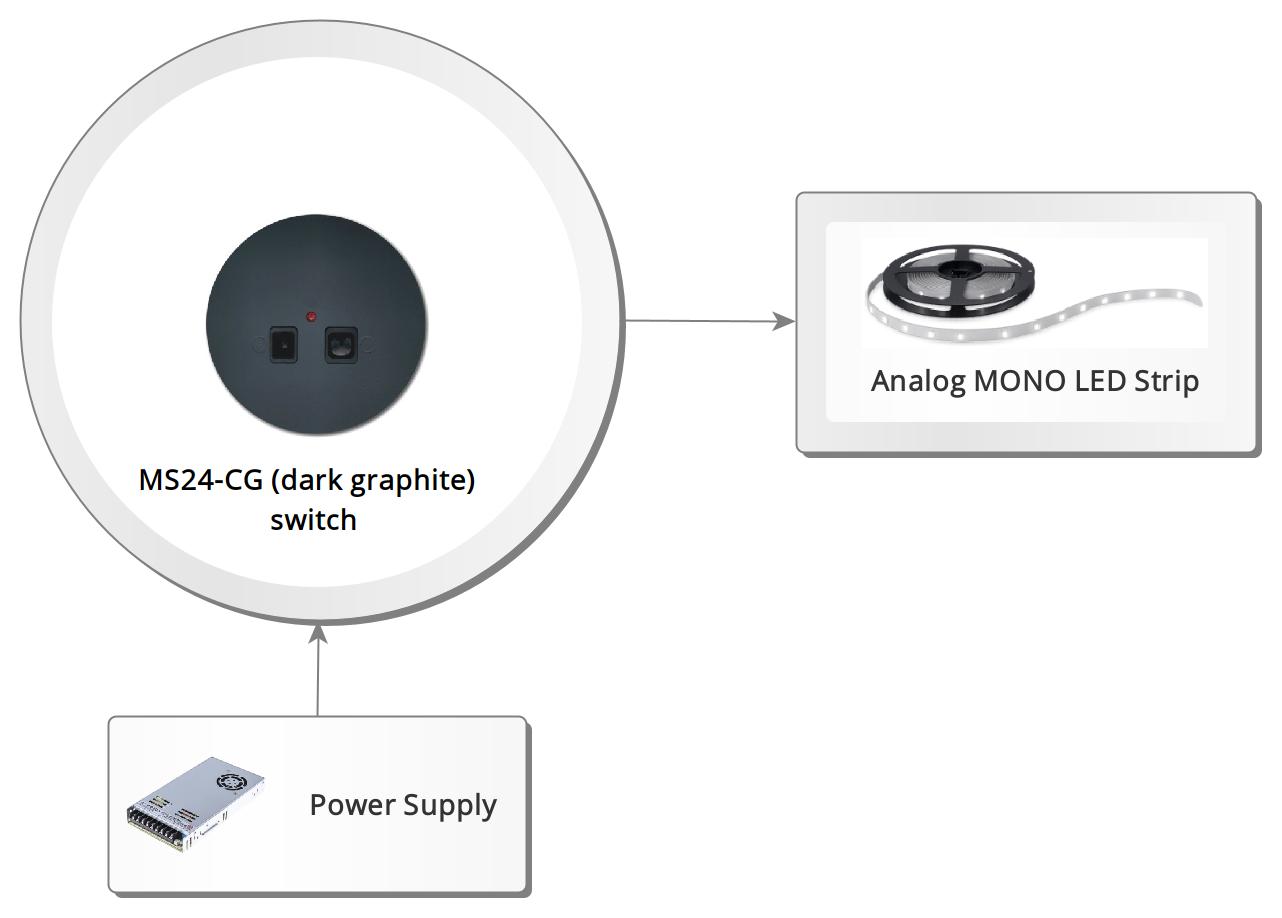

MS24-CZ (black) Proximity Switch
The MS24 Proximity Switch is used to automatically turn on the lighting for a specified time. It is designed to detect a person climbing the stairs or passing through the corridor. The switch uses a Sharp reflection sensor, which makes its operation reliable. It has an adjustable activation sensitivity (the distance at which it should react) and the time for which the lighting will be turned on (from 5 to 90 seconds). The lighting is turned on and off smoothly (brightening and dimming). The sensor features a powder-coated metal front. Simply insert the sensor into the flush-mounted box, and the metal plates on the sides lock the device into place.
Intended for cooperation with:
Elegant MS24 Proximity Switch manual
Intended for cooperation with:
- analog LED strips
- sequence controllers: F146
Elegant MS24 Proximity Switch manual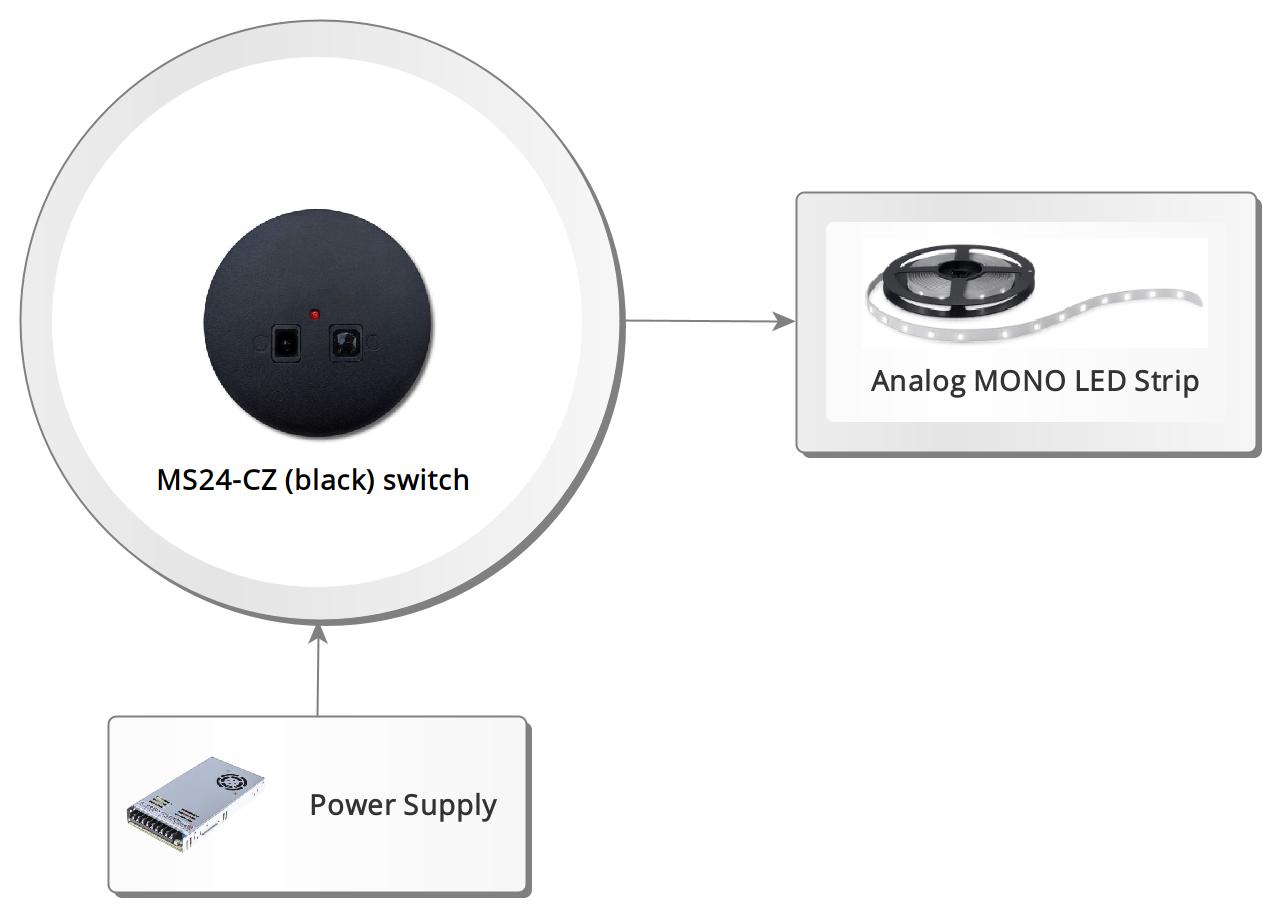

S550 DALI LED Controller
The LED Controller S550 allows for the control of digital LED strips (pixels) in accordance with the international DALI specification. The device is detected as RGB+TC (color + white with temperature adjustment). The controller appears as two devices in the system, where the first allows for color setting, and the second selects the effect and its speed. While the first detected device operates according to the DALI specification, the second extends the standard and uses RGB values to select effects and animation speed.
Elegant S550 DALI LED Controller manual
- Communication Interface: DALI bus
- RGB version
- 109 buit-in effects
Elegant S550 DALI LED Controller manual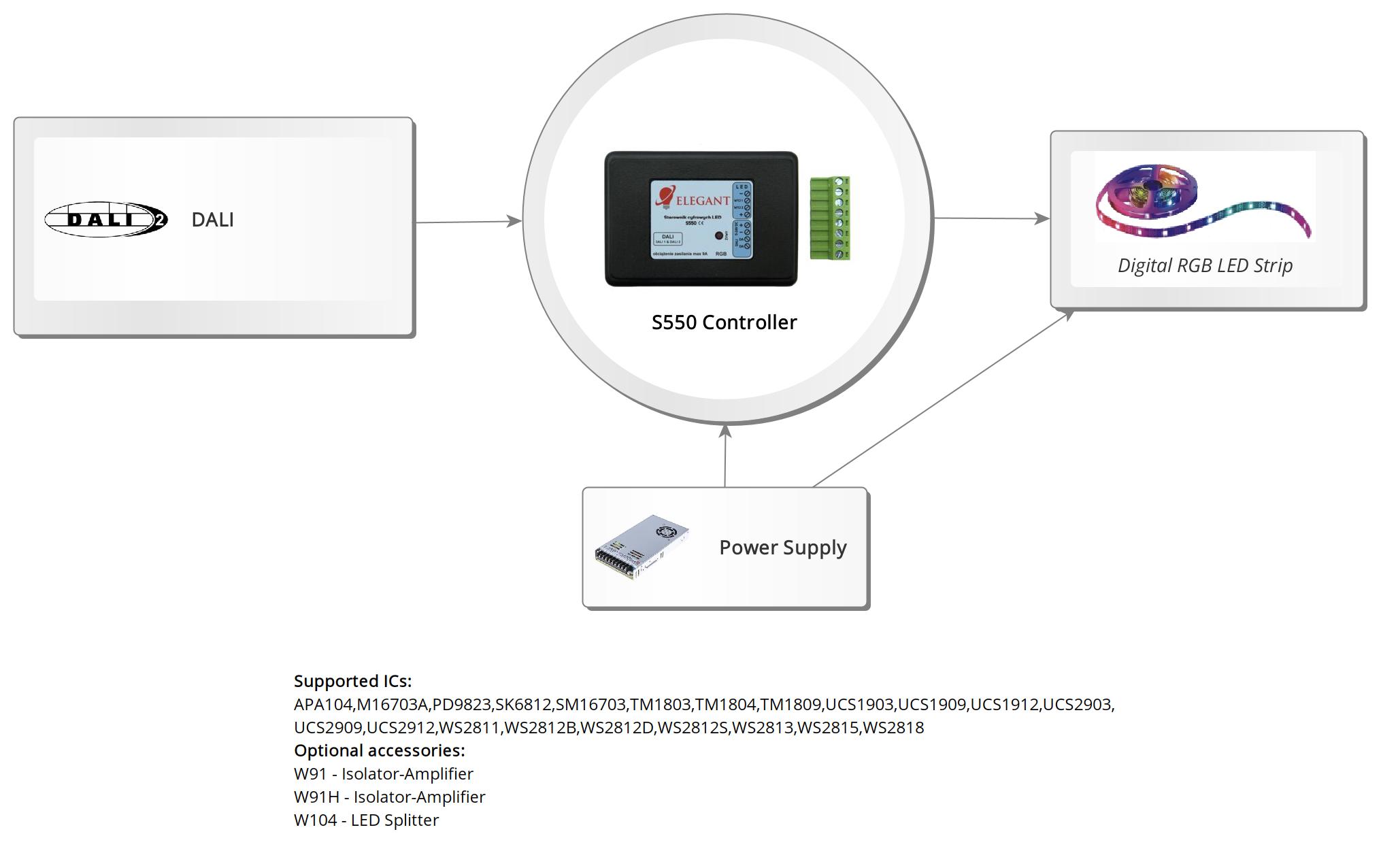

S552S DALI LED Controller
The S552S DALI LED Controller S550 allows for the control of digital LED strips (pixels) in accordance with the international DALI specification. The device is detected as RGB+TC (color + white with temperature adjustment). The controller appears as two devices in the system, where the first allows for color setting, and the second selects the effect and its speed. While the first detected device operates according to the DALI specification, the second extends the standard and uses RGB values to select effects and animation speed.
Elegant S552S DALI LED Controller manual
- Communication Interface: DALI bus
- RGBW version
- 109 buit-in effects
Elegant S552S DALI LED Controller manual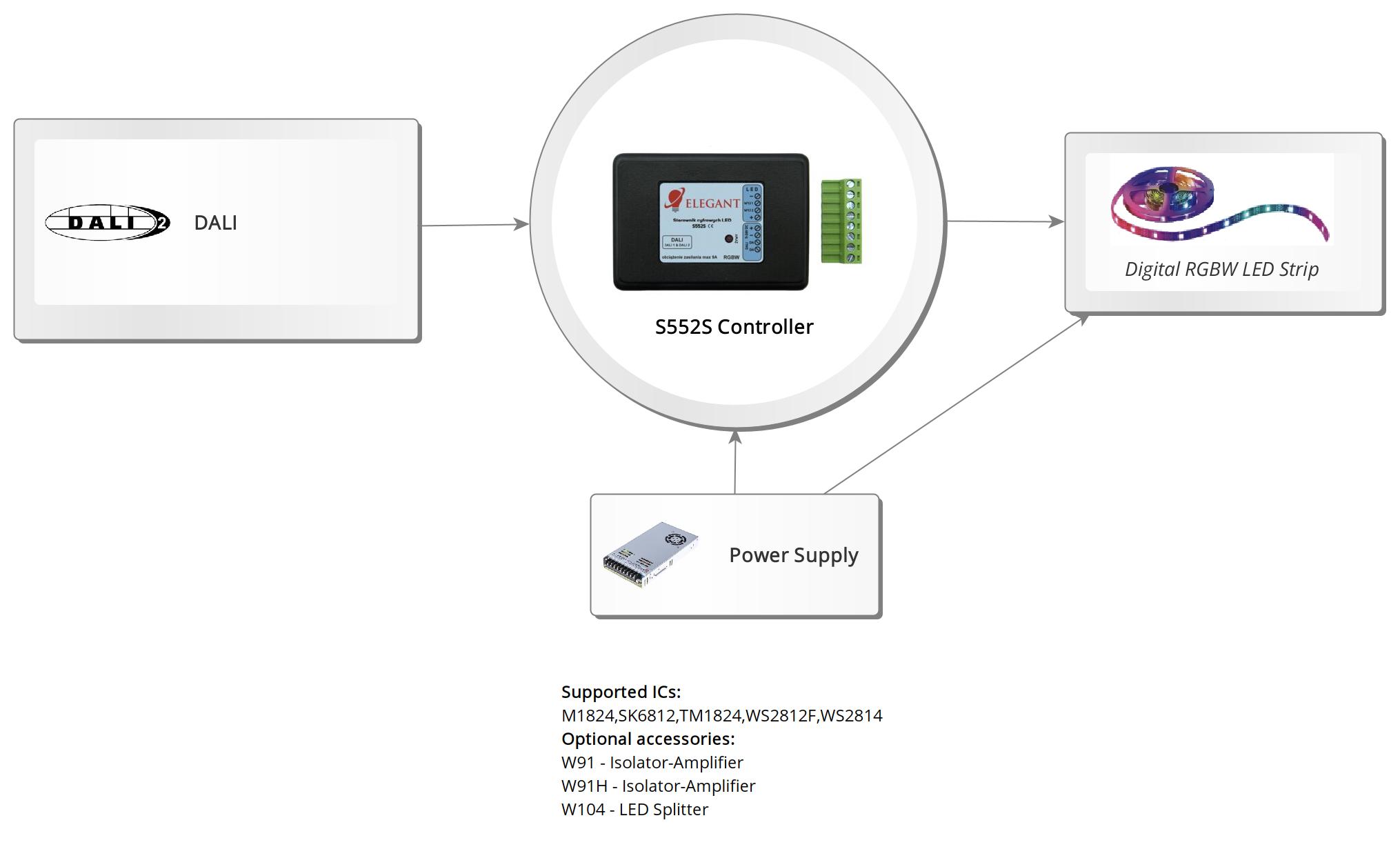

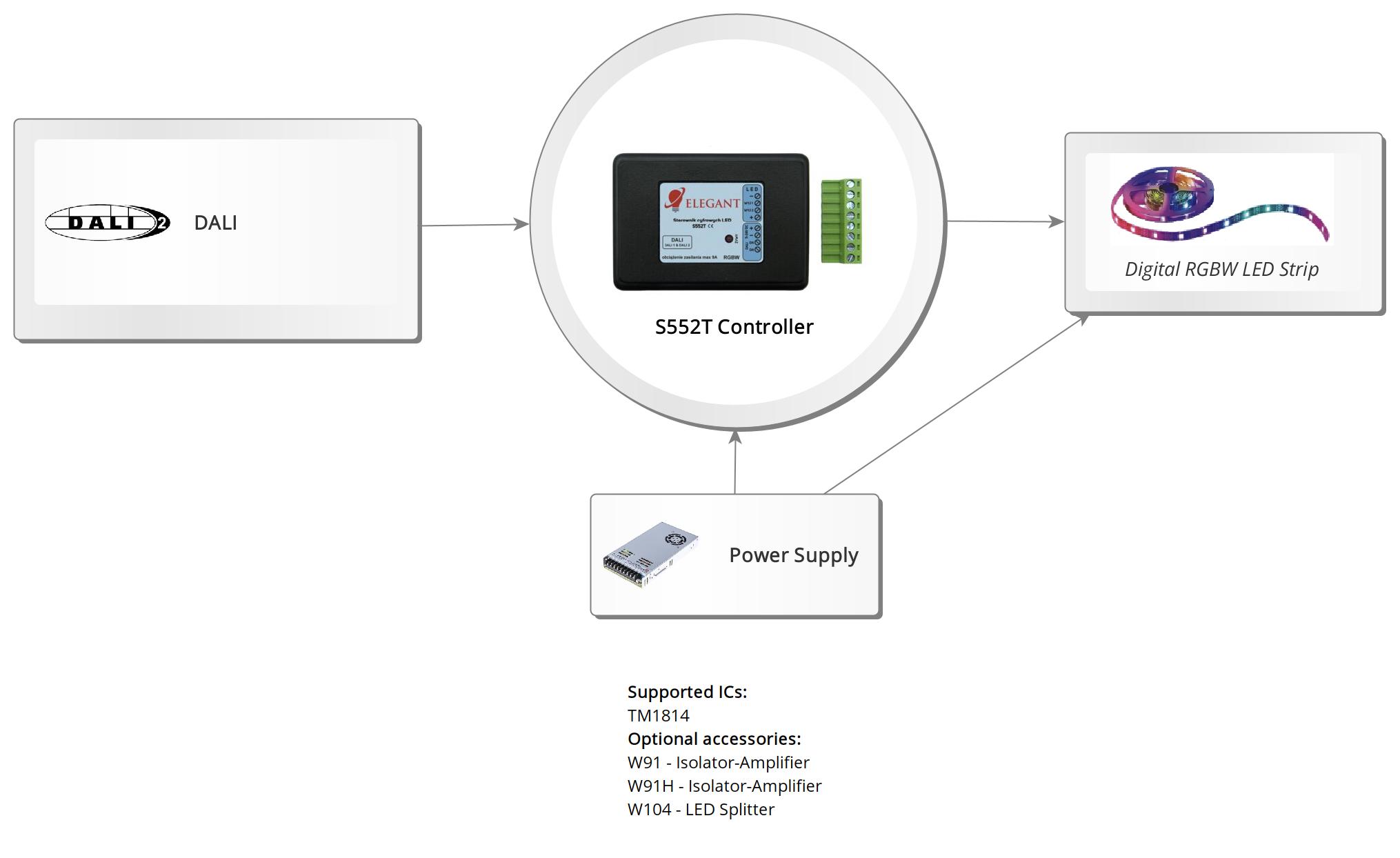
S552T DALI LED Controller
The S552S DALI LED Controller S552T allows for the control of digital LED strips (pixels) in accordance with the international DALI specification. The device is detected as RGB+TC (color + white with temperature adjustment). The controller appears as two devices in the system, where the first allows for color setting, and the second selects the effect and its speed. While the first detected device operates according to the DALI specification, the second extends the standard and uses RGB values to select effects and animation speed.
Elegant S552T DALI LED Controller manual
- Communication Interface: DALI bus
- RGBW version
- 109 buit-in effects
Elegant S552T DALI LED Controller manual