
Network controllers / Art-Net Nodes

K130M LED Music Network Controller
The K130M Network Controller enables the operation of digital LED strips or modules via a computer network. The device is suitable for handling all types of strips, both RGB, RGBW, CCT and MONO. Any device equipped with a web browser (computer, phone, tablet) can be used to control the created effects. By accessing the controller's web page, you have the ability to select and control the desired effects (brightness, color, speed, etc.).
 Elegant K130M Music Network Controller manual
CE Declaration of Conformity
 Example videos
- reacts to sound (mini-jack connector)
- Number of pixels: RGB: 1000 (2 x 500 per output), RGBW: 700 (2 x 350 per output), CCT WS2811: 1000(2 x 500 per output), CCT TM1814: 700 (2 x 350 per output), MONO: 1000 (2 x 500 per output), RGB+CCT WS2805: 600(2 x 300 per output), RGB+CCT WS2811: 500 (2 x 250 per output)
- White color temperature adjustment
- has a DIN rail mounting
- Local keypad, OLED display
- Network interface: Ethernet connector 8P8C (twisted pair)
Elegant K130M Music Network Controller manualCE Declaration of ConformityExample videos 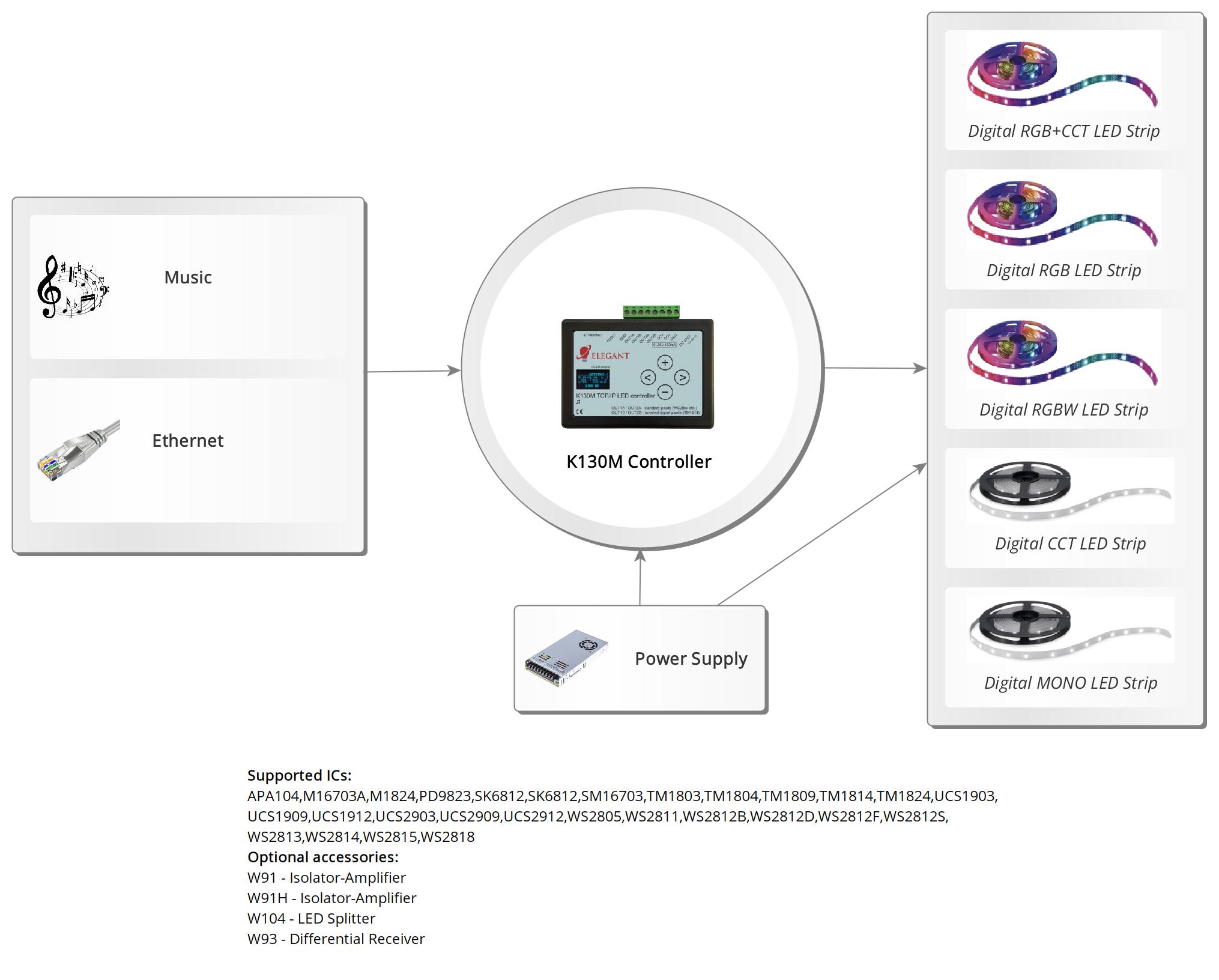

K130 LED Network Controller
The K130 Network Controller enables the operation of digital LED strips or modules via a computer network. The device is suitable for handling all types of strips, both RGB, RGBW, CCT and MONO. Any device equipped with a web browser (computer, phone, tablet) can be used to control the created effects. By accessing the controller's web page, you have the ability to select and control the desired effects (brightness, color, speed, etc.).
Elegant K130 Network Controller manual
CE Declaration of Conformity
Example videos
- Number of pixels: RGB: 1000 (2 x 500 per output), RGBW: 700 (2 x 350 per output), CCT WS2811: 1000(2 x 500 per output), CCT TM1814: 700 (2 x 350 per output), MONO: 1000 (2 x 500 per output), RGB+CCT WS2805: 600(2 x 300 per output), RGB+CCT WS2811: 500 (2 x 250 per output)
- White color temperature adjustment
- has a DIN rail mounting
- Local keypad, OLED display
- Network interface: Ethernet connector 8P8C (twisted pair)
Elegant K130 Network Controller manualCE Declaration of ConformityExample videos 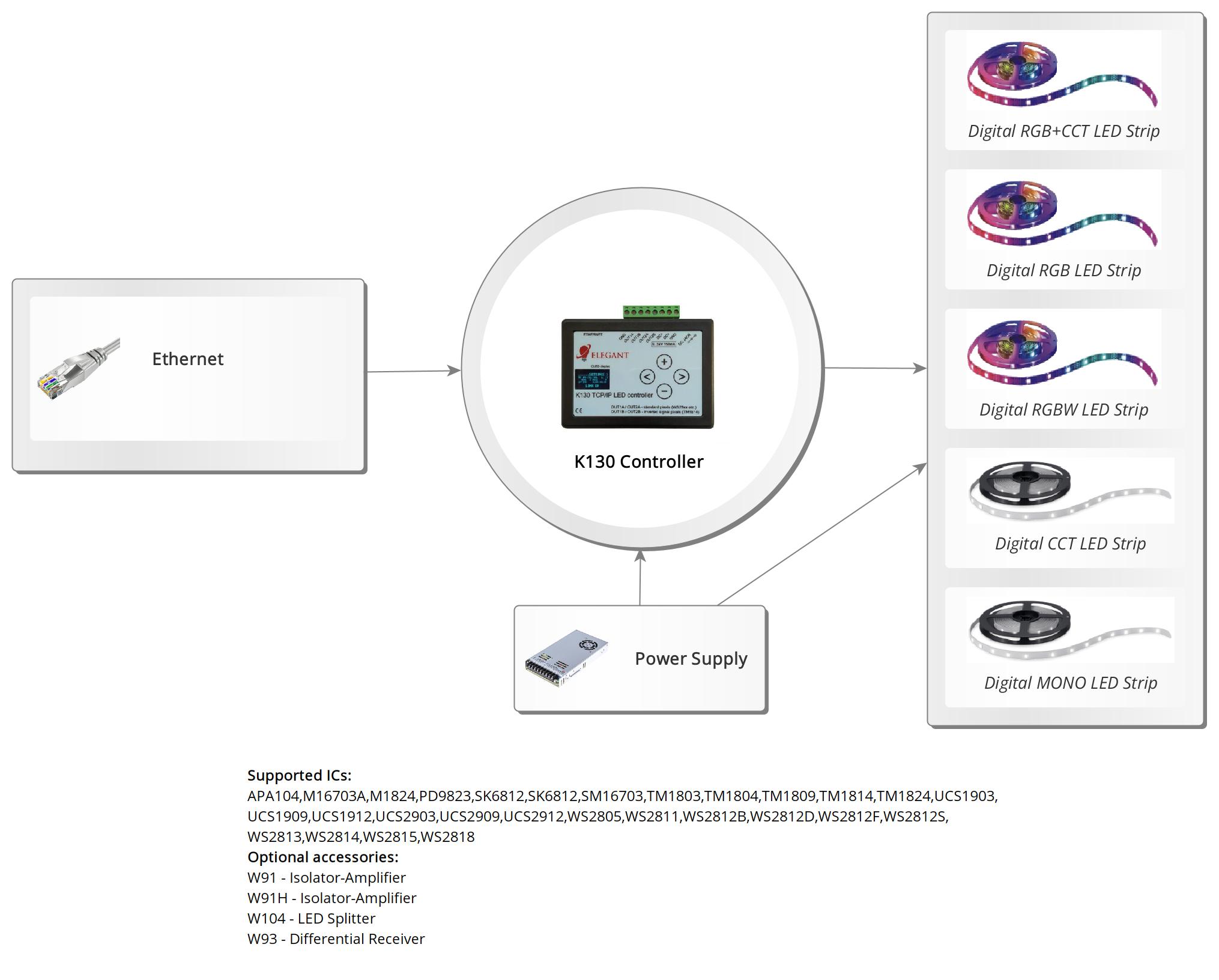

F420 LED Network Controller for stairs and corridors
Network Controller for stairs and corridors, supporting digital LED strips. The device is suitable for handling all types of tapes, both RGB and RGBW. The controller allows you to achieve the effect of animating the illumination of stairs or a corridor. The backlight is activated by a motion sensor (e.g. Elegant FS1A).
Elegant F420 Network Controller manual
CE Declaration of Conformity
- 1000 pixel support (RGB)
- 700 pixel support (RGBW)
Elegant F420 Network Controller manualCE Declaration of Conformity

AR440 Art-Net SPI Node
Art-Net SPI Node controls digital LED strips/pixels directly. Clear OLED display enables easy configuration in the device menu. Controls digital LED strips/pixels directly. Easily readable OLED display - easy to configure device menu. Using the free Jinx! software you can create your own animations on your computer. The node works also with MADRIX and other Art-Net compatible software.
Elegant AR440 Art-Net SPI Node manual
- 4 outputs - 4080 or 3072 pixels: 4 x 1020 pixels (RGB) / 4 x 768 pixels (RGBW)
Elegant AR440 Art-Net SPI Node manual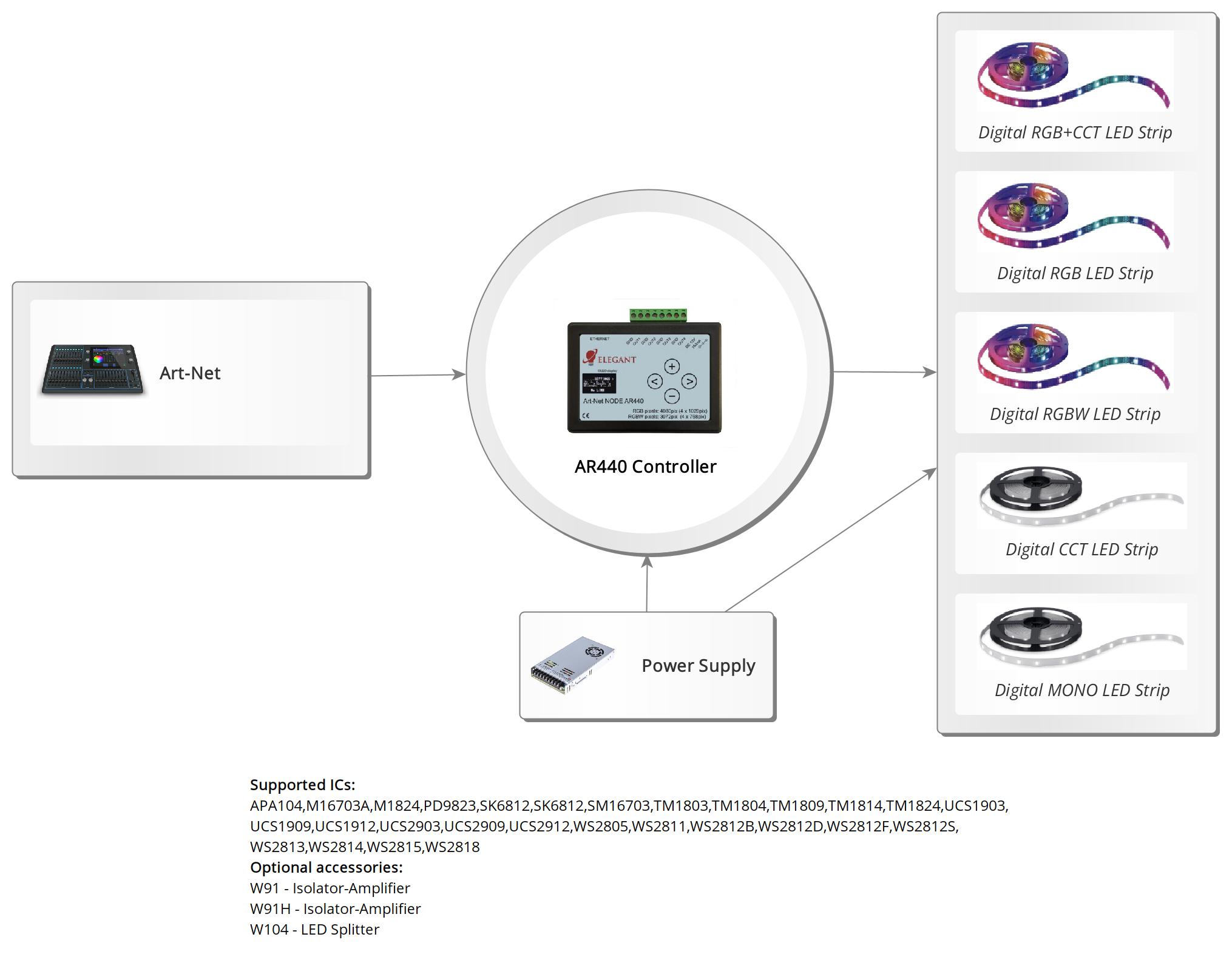

AR62 Art-Net SPI Node
Art-Net SPI Node controls digital LED strips/pixels directly. Clear OLED display enables easy configuration in the device menu. Controls digital LED strips/pixels directly. Easily readable OLED display - easy to configure device menu. Using the free Jinx! software you can create your own animations on your computer. The node works also with MADRIX and other Art-Net compatible
programs. The node has a special synchronous mode in which refresh rate synchronizes with Art-Net frame rate. This ensures high smoothness of the animation. For the node to enter this mode, the computer program must send a "sequence number" in the Art-Net frame and the SYNCED MODE option must be enabled in the AR62 node menu. Jinx! supports this mode.
Elegant AR62 Art-Net SPI Node manual
- 8 outputs - 2040 or 1360 pixels. 12 x DMX512 universe / 8 x DMX512 universe
Elegant AR62 Art-Net SPI Node manual